How to make your salon booking page clear and useful
elp clients recognise your salon, choose the right service and staff member, understand booking conditions and complete the booking.
On this page
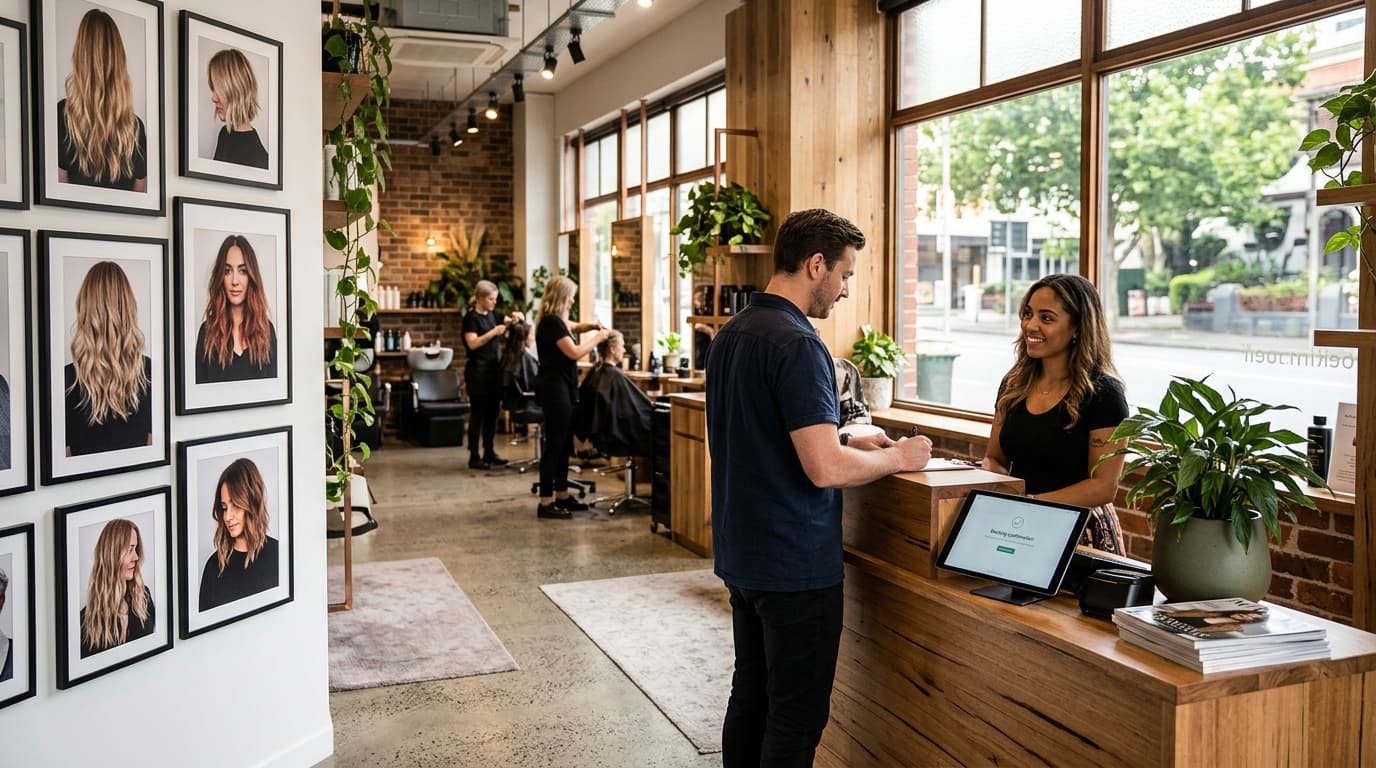
Someone who reaches your booking page has already done part of the work.
They may have found the salon on Google, followed a stylist on Instagram, clicked through from your website or opened a link sent by a friend.
The booking page now needs to help them make a few practical decisions.
What should I book? Who should I see? How long will it take? What will it cost? Is there a deposit? What happens after I confirm?
A useful salon booking page answers those questions without making the client learn how the salon organises its diary.
Make it obvious whose booking page they have opened#
A client should be able to recognise the salon before they start choosing services.
That can come from the salon name, imagery, team, service menu and visual presentation. It does not require every part of the booking page to look like a marketing campaign.
The useful test is straightforward.
If somebody moves from your Instagram profile or website into the booking flow, can they tell they are still dealing with the same salon?
This matters even more when your own channels already create most of your demand. The booking page becomes the place where that interest turns into an actual appointment.
OpenChair's Customer Storefront gives the venue its own public booking destination. Venues can configure supported branding, services, team information and booking rules. Pro venues can also use a custom domain where configured.
A custom domain is optional. The booking page still works without one.
Write service names for clients, not the diary#
Salon teams often understand their service menu because they use it every day.
Clients do not have that context.
A name such as “Half Head”, “Refresh”, “Maintenance” or “Package B” may make perfect sense internally and still leave a first-time client unsure what to select.
Start with the client-facing question:
What does somebody need to know to decide whether this service applies to them?
The service name and description can clarify what is included, how long the appointment is expected to take and the displayed price or starting price where appropriate.
If a booking needs another configured choice, such as an add-on or required option, put that decision into the booking flow rather than expecting the client to know it before they arrive.
The aim is not to explain every detail of the service online. It is to give the client enough information to take the correct next step.
Give clients a way to choose the person they know#
For many salons, clients are choosing a stylist as well as a service.
A regular may already know exactly who they want. A new client may want to look at the team before deciding. Someone else may care more about the earliest suitable appointment than the individual staff member.
The booking experience should accommodate those different situations.
OpenChair supports public team profiles and staff-specific booking links. An eligible staff member can have a direct booking route and QR code that points back into the venue's booking flow.
That gives a stylist somewhere useful to send a client from an Instagram profile, follow-up message or printed QR code without creating a separate calendar or booking system.
The appointment remains part of the salon's OpenChair setup.
Keep price, duration and availability connected#
A booking page becomes harder to use when important information appears at different stages without a clear reason.
Clients should be able to understand the service they are considering before they commit to a time.
That includes the configured price and duration, along with the staff or availability choices relevant to the booking.
Availability should come from the real booking setup rather than a generic enquiry calendar that somebody at reception later has to reconcile manually.
The same principle applies when services have configured booking options or staff-specific settings.
What the client chooses should feed the appointment the salon receives.
Show booking conditions before confirmation#
A deposit or booking policy should not appear as a surprise after somebody has already worked through the booking.
If a service requires a deposit, saved-card protection or acknowledgement of a booking policy, show the relevant condition as part of the booking process.
OpenChair's Booking Protection supports configured deposits and no-show card rules.
The salon decides which policy applies.
The point of putting the condition into the booking flow is clarity. The client can see what is required before completing the appointment rather than discovering a separate payment or policy step afterwards.
A deposit does not guarantee that a client will attend, and software does not decide what cancellation or deposit policy is appropriate for every salon.
Do not force an account before the first booking#
Creating an account can be useful for a returning customer who wants an ongoing login.
It does not need to be the price of making a first appointment.
OpenChair supports No-Account-Required Booking. A client can complete the initial booking without first creating an OpenChair consumer account.
Afterwards, supported booking-management links can give them access to the relevant appointment without requiring them to remember another password.
That keeps the first booking focused on the appointment itself.
Give clients a clear route from the places they already find you#
Your booking page rarely exists in isolation.
Clients may arrive from your website, Google Business Profile, Instagram, an individual stylist's profile, a campaign or a direct message.
Use the booking destination that fits the route.
A general salon link can take people to the full storefront.
A staff-specific link can keep a preferred stylist in context.
A link from a particular campaign or service page can take the client closer to the relevant booking choice where supported.
If the salon already has its own website, the booking flow can also be linked or embedded rather than requiring a second marketing website.
The goal is to remove unnecessary detours between “I want to book” and choosing the appointment.
Keep direct booking commercially clear#
Booking commission and payment processing are different charges.
OpenChair charges zero booking commission on bookings made through an OpenChair storefront. Card-processing fees still apply.
That qualification matters.
It means a salon can send the clients it already attracts through its own OpenChair booking route without an OpenChair booking commission being added to that storefront booking.
It does not mean that taking an online deposit or card payment has no processing cost.
If you are comparing booking systems, separate those charges when you look at the commercial model.
Check what happens after the booking#
The booking page has done its first job once the appointment is created or submitted for the venue's configured review.
The client still needs to know what happened.
A useful confirmation should make the appointment details clear and give the client the supported route for managing the booking afterwards.
Depending on the venue's setup and policies, that can include viewing the appointment and supported options for rescheduling, cancelling, adding a saved card or responding to a counter-offer.
The booking experience therefore extends beyond the Book button.
The confirmation and management route are part of the same client journey.
Test the booking page like a client#
Do not review the page only from the salon dashboard.
Open it on a phone and make a test booking.
Start from the places a real client starts. Try the link from the salon website. Try a stylist-specific route. Try a service a new client may not understand immediately.
Then check whether you can answer these questions without insider knowledge:
- Is it obvious which salon I am booking?
- Can I understand the available services?
- Can I see enough information about the team to choose someone?
- Is the price and duration clear before I choose the appointment?
- Are any required booking options understandable?
- Can I see the relevant deposit or booking condition before confirming?
- Can I complete the first booking without creating an unnecessary account?
- Does the confirmation tell me what I booked and what I can do next?
If any answer is unclear, fix that part before adding more decoration.
Where OpenChair fits#
OpenChair's Customer Storefront keeps the public booking route connected to the salon's services, team, availability and booking rules.
Relevant workflows include branded storefronts, public team profiles, staff booking links and QR codes, No-Account-Required Booking, Customer-Facing Booking Policies, Booking Protection and supported website embeds.
Pro venues can also connect a custom domain where configured.
OpenChair charges zero booking commission on bookings made through an OpenChair storefront. Card-processing fees still apply.
The useful standard for the page is simple: a client should know where they are, what they are booking, who they are booking with, what is required and what happens next.