Beauty salon software for Australia, New Zealand and the UK
Make bookings fit the way your beauty team works.
Run brows, lashes, waxing, non-clinical facials and nails under your salon's brand. OpenChair Pro brings staff-specific booking, treatment rooms and stations, client records and checkout together for single appointments and longer visits.
No payment card required. A paid Pro subscription does not start automatically. Card processing and optional paid usage can apply during the trial if you activate them. See pricing.
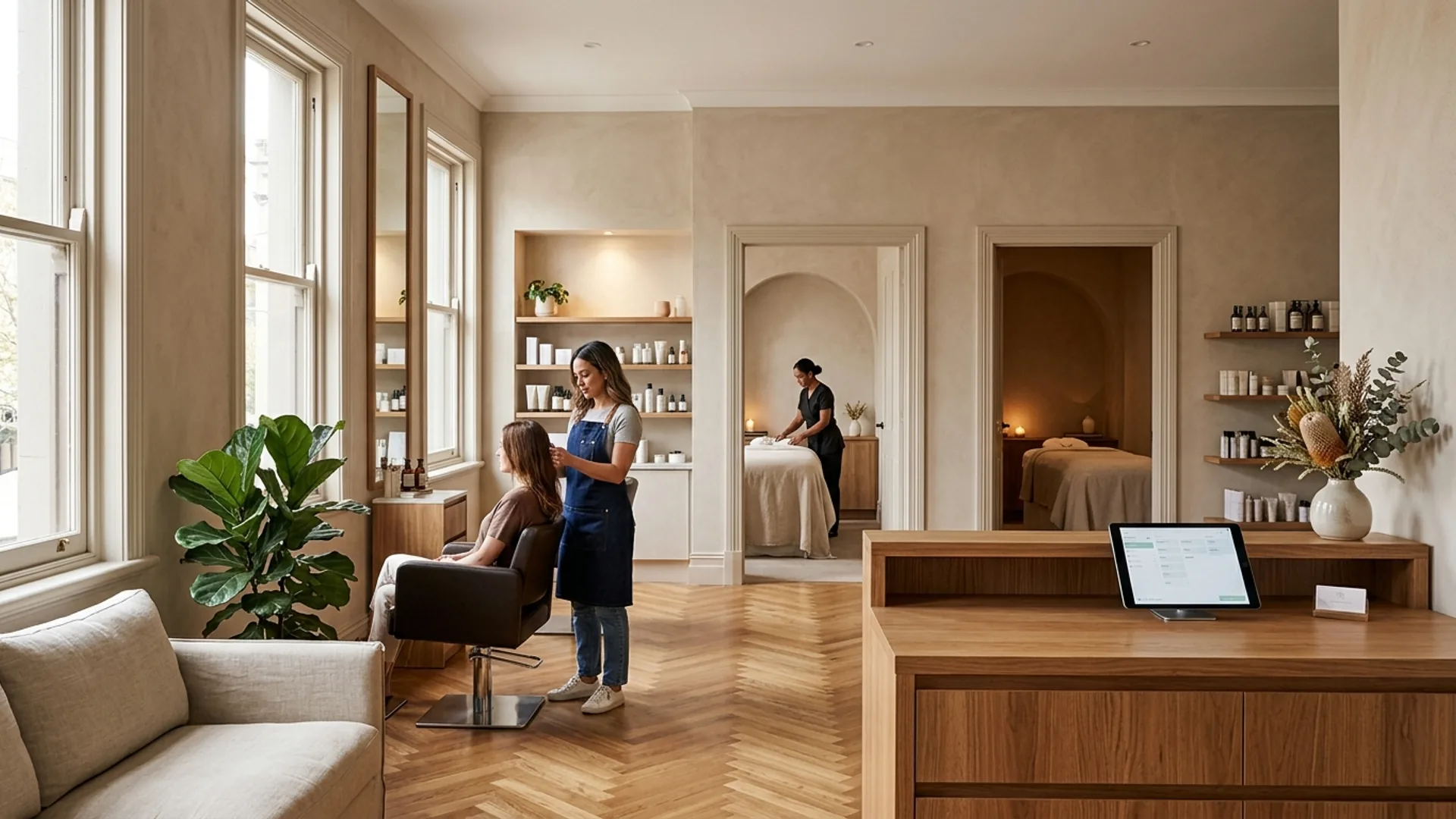
One salon, different services and professionals. Start with the booking each client actually needs.
01 / Book the right person
Let clients book the service and professional they need.
A client booking brows can choose from the professionals assigned to that service. In this example, that is Maya or Sophie. An empty station or another colleague's free time does not make an unassigned service available.
Your branded booking page shows the service menu and configured choices. Individual staff prices or durations can change the details and available times. A room or station is required only when the selected service is configured to use one.
Booking options, such as a nail removal option, have their own required or optional rules. Check their price, duration and staff eligibility when setting them up. A professional's direct booking link is another route to review during your walkthrough.
OpenChair charges zero booking commission on bookings made through an OpenChair storefront. Card-processing fees still apply. See how staff service assignments work.
Salt & Linen
Salon booking · Brow services
Selected service
Brow shape
This example has no additional service option.
2. Choose an assigned professional
Maya
Brows and lashes
25 min · A$35
Sophie
Waxing and brows
30 min · A$40
Recreated OpenChair workflow with fictional venue data, not a screenshot. The prices and durations are fictional configured values. Staff assignment, price and duration are resolved before availability; actual times remain live.
02 / Coordinate the visit
See how the whole visit fits the diary.
Booking itinerary
Reception view · one client
- 1Brow shapeMaya · No room required10:00–10:25
- 2FacialPriya · Treatment room 110:30–11:30
- 3ManicureAva · Manicure station 111:35–12:20
The five-minute gaps are salon choices in this fictional itinerary. Each part uses its own professional and any configured space. The sequence does not reserve all three people for the whole visit.
If this visit is cancelled, review the affected diary intervals
Recreated OpenChair workflow with fictional venue data, not a screenshot. This depicts an operator-arranged itinerary. It does not assert that the customer can assemble this exact sequence online or that recovery offers are sent automatically.
For a longer visit, reception can review the order of services, the professional for each part and any required treatment room or station. The example moves from Maya's brow appointment to a facial with Priya and a manicure with Ava. The software does not choose a treatment-safe order for the salon.
If plans change, review the affected staff calendars and spaces. Cancelling this visit would leave separate free intervals for Maya, Priya and Ava, rather than one appointment-length opening with one person. An operator can review a suitable opening before sending an offer and confirming any replacement.
Configured deposits or saved-card protection can support a booking commitment. They do not guarantee attendance, fee collection or that a cancelled time will be filled. Read about the booking itinerary editor and resources.
03 / Before the appointment
Review client context from your phone or tablet.
A returning client may see a different professional for their next service. An authorised staff member can open the appointment and review the relevant visit history, notes and completed forms before they work. The team still decides what the information means for that appointment.
Staff use their own login for personal work. An authorised shared reception workstation has a different access pattern. Access to client details depends on role and assignment; a customer kiosk is not a staff workstation.
Check the mobile guide for tasks that require another device or web surface. A record summary can help prepare for a visit, but it does not make a treatment decision.
Returning client
The relevant history stays with the client
Previous visits
Recorded notes
Completed forms
Illustrative salon workflow, not an OpenChair screen. Access depends on the staff role and venue configuration.
04 / Complete the work
Finish a multi-service visit with a clear checkout.
Checkout · completed visit
Processed by reception
Recreated OpenChair workflow with fictional venue data, not a screenshot. The amounts are fictional. Reception takes payment, while each service line retains its professional. Retail attribution is a separate choice.
Reception can review the completed services, the people who did the work, any retail item and a deposit already paid before taking the remaining payment. The person taking payment is not automatically the professional attributed to each service.
Keep service and retail attribution clear when reviewing the transaction. Commission reports provide current-rate estimates for review; they are not a payroll ledger or an automatic payout. See the commission guide.
Arrange the next appointment with the client.
Today's three-service visit does not mean the client needs the same combination next time. Agree on the next service, professional and timing, then use the supported booking flow. Recurring appointments and reminders are separate choices; a series does not automatically repeat the whole visit.
05 / Keep control of replies
Set clear rules for routine replies.
On Pro, Smart Replies can Auto-send eligible, high-confidence SMS replies through a dedicated number in Australia or the United Kingdom and connected Instagram DMs where configured. Email replies and booking actions remain review-first.
A client asking to add brows to an existing facial booking needs a check of the diary and the right professional. The team reviews a proposed reply or next step before any booking change. Questions about treatment suitability stay with the salon.
Example request
“Could I add a brow appointment to my facial visit?”
06 / Evaluate the cost
See what your team will pay.
Australian example · one venue · monthly Pro
A$94.95
Including GST per month
Card processing, applicable payout fees and optional paid usage are separate. Check your region and team size.
Start by configuring services, the professionals who offer them, their hours and any required rooms or stations. If you are adding colleagues to a solo salon, those assignments and hours make the difference between a larger team list and a useful booking diary.
Moving records depends on the export you can provide and the agreed import scope. Existing funds, saved cards and payment authority need separate review; they are not the same as moving client and appointment records.
Read the switching guide, or talk through your salon setup.
Explore a specialist setup
Looking more closely at one service?
These pages go deeper into particular salon workflows. A mixed-service beauty salon can use the same OpenChair account across its services.
Common questions
Questions from multi-service beauty salons.
Can different staff offer different services, prices and appointment lengths?
Yes. Assign each professional to the services they offer. Owners and managers can set individual price and duration exceptions where needed. Assignment determines who can appear for a service; a proficiency label alone does not establish eligibility.
Can a client book several services with different people?
Operators can arrange a sequential multi-service itinerary with an assigned professional for each part and review staff and resource conflicts. Customer booking choices depend on the configured public flow; a multi-service visit does not imply that several people work at once.
How are treatment rooms and manicure stations included?
On Pro, physical resources can be configured and linked to services that require them. Availability needs the right professional and the required space for each part. Rooms and stations are not additional bookable team members for subscription pricing.
What can staff see in a client's record?
Authorised staff can review relevant visit history, notes and completed forms. Access depends on their role, client assignment and venue configuration. The salon remains responsible for reviewing records and deciding what action is appropriate.
Can clients return to the same professional?
Clients can select an eligible professional when the booking page offers that choice, and a professional's booking link can provide a direct route. Check the configured link and service selection during setup rather than relying on an automatic permanent preference.
Can the next appointment differ from today's visit?
Yes. A client who had several services today can choose one service and professional next time. Repeated appointments, reminders and later follow-up are separate workflows; repeating a booking does not automatically repeat every part of a multi-service visit.
Can the team use phones and a shared iPad?
Staff can use supported mobile tasks with their personal login. An authorised shared reception workstation follows different access rules. Check the maintained mobile guide for the exact task and device; a customer kiosk is not a staff workstation.
What does moving to OpenChair involve?
Set up the services, staff assignments, hours, required spaces and booking rules for your salon. The scope of a records import is agreed after reviewing your export. Existing funds, saved cards and payment authority need separate review. You can start with a 14-day Pro trial without a payment card; a paid Pro subscription does not start automatically.
See how it fits your salon.
Try Pro with your own team and services, or ask for a beauty salon walkthrough.
No payment card required. A paid Pro subscription does not start automatically.